English
 Arabic
 French
 Spanish
 Portuguese
 Deutsch
 Turkish
 Dutch
Dutch
 Italiano
 Russian
 Romaian
 Portuguese (Brazil)
 Greek
Greek
Cadet College Fee Structure in Pakistan | Admission, Facilities & Education System
Other |
2025-10-10 06:23:08
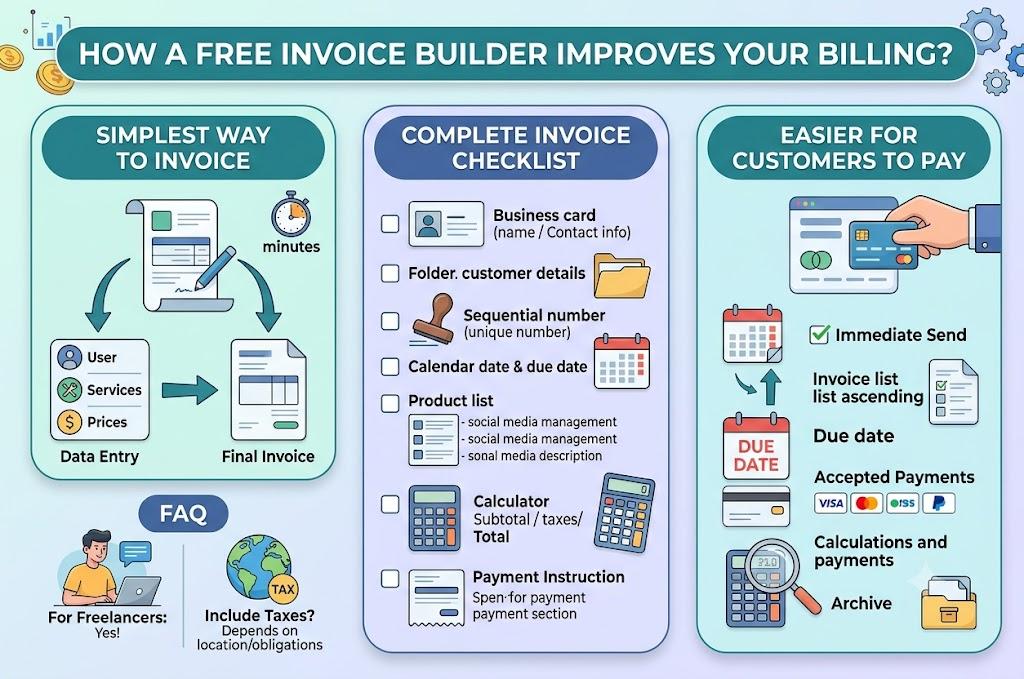
The simplest option is to use a free invoice builder that helps you enter customer details, services, prices, taxes, and payment terms in a clear format. It removes the need to design an invoice manually and helps you create an accurate document that is ready to send within minutes.
An invoice is more than a request for payment. It is also a record of the work completed, the amount charged, and the terms agreed upon between you and your customer. A poorly formatted invoice can create confusion, delay approval, or lead to unnecessary payment questions.
An online invoice builder keeps the process organized by placing every important detail in the correct section. This helps freelancers, contractors, consultants, and small businesses maintain a consistent billing process without purchasing expensive accounting software.
A complete invoice should contain:
Use specific descriptions so customers understand exactly what they are paying for. For example, write “social media management for July” instead of “marketing services.”
You can make invoices easier to pay by keeping the layout simple, stating the total clearly, and including complete payment instructions. Customers should not have to search through the document to find the amount due, deadline, or payment method.
Follow these practical steps:
Professional invoicing can also strengthen customer relationships. A clear document shows that your business is organized, transparent, and serious about its payment process.
Yes. Freelancers can use it to create professional invoices for projects, hourly work, retainers, and recurring services.
It depends on your location, business registration, and tax obligations. Add applicable taxes when required and label them clearly so customers understand how the final total was calculated.